Questions
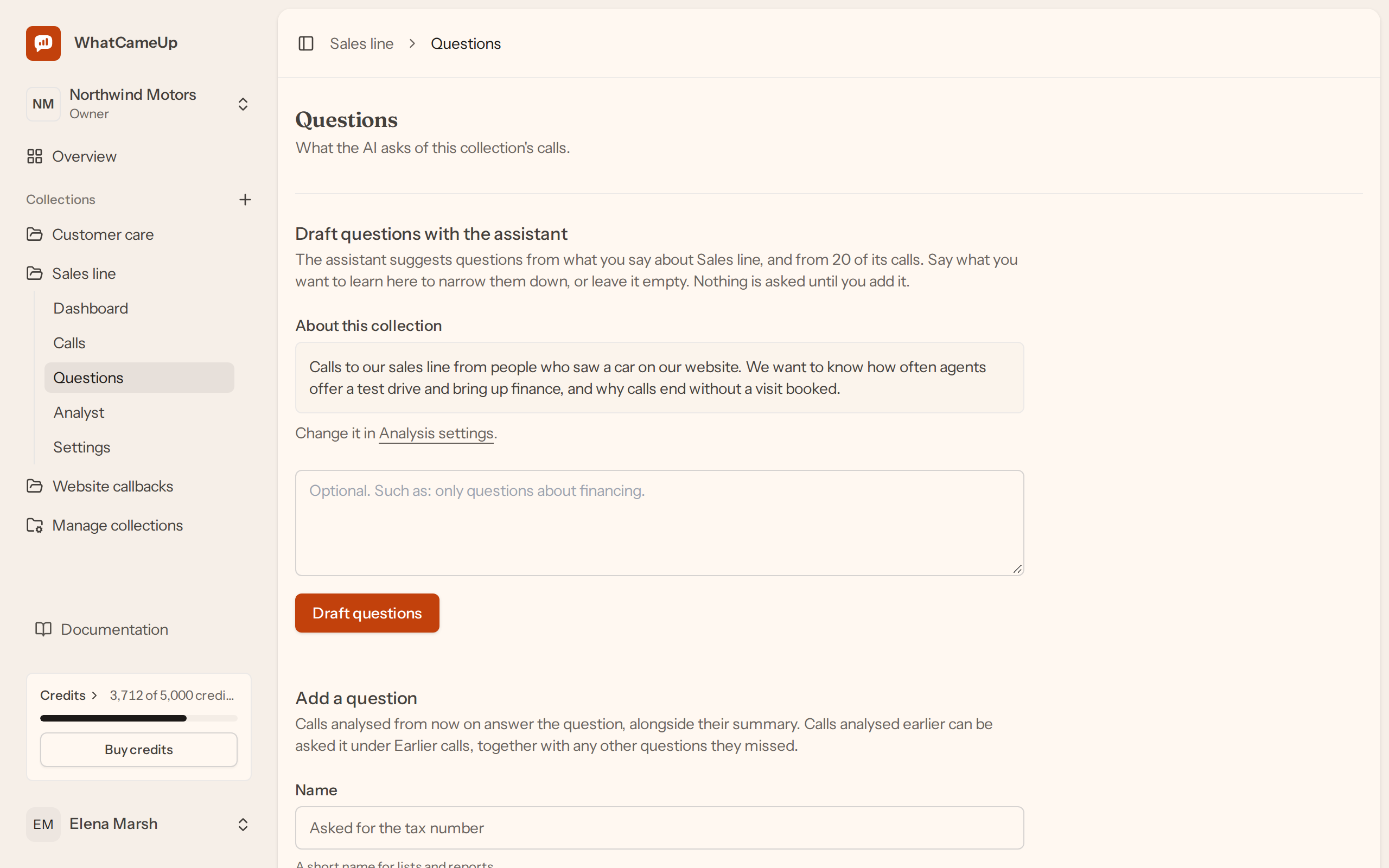
Questions are what you want to learn from every call in a collection: whether the agent offered a test drive, which car the customer called about, why the call ended without a booking. Every call the collection analyses answers them, alongside its summary, and each answer points to the line of the call that shows it, or to the call detail it came from.
Team owners and admins manage questions: open the collection in the sidebar, then Questions. Each collection has its own questions.
A support or sales collection starts with a question on how each call ended, and a support one also asks how frustrated the customer got, written in your team's report language. They are questions like any other, to change or remove. See Collections.
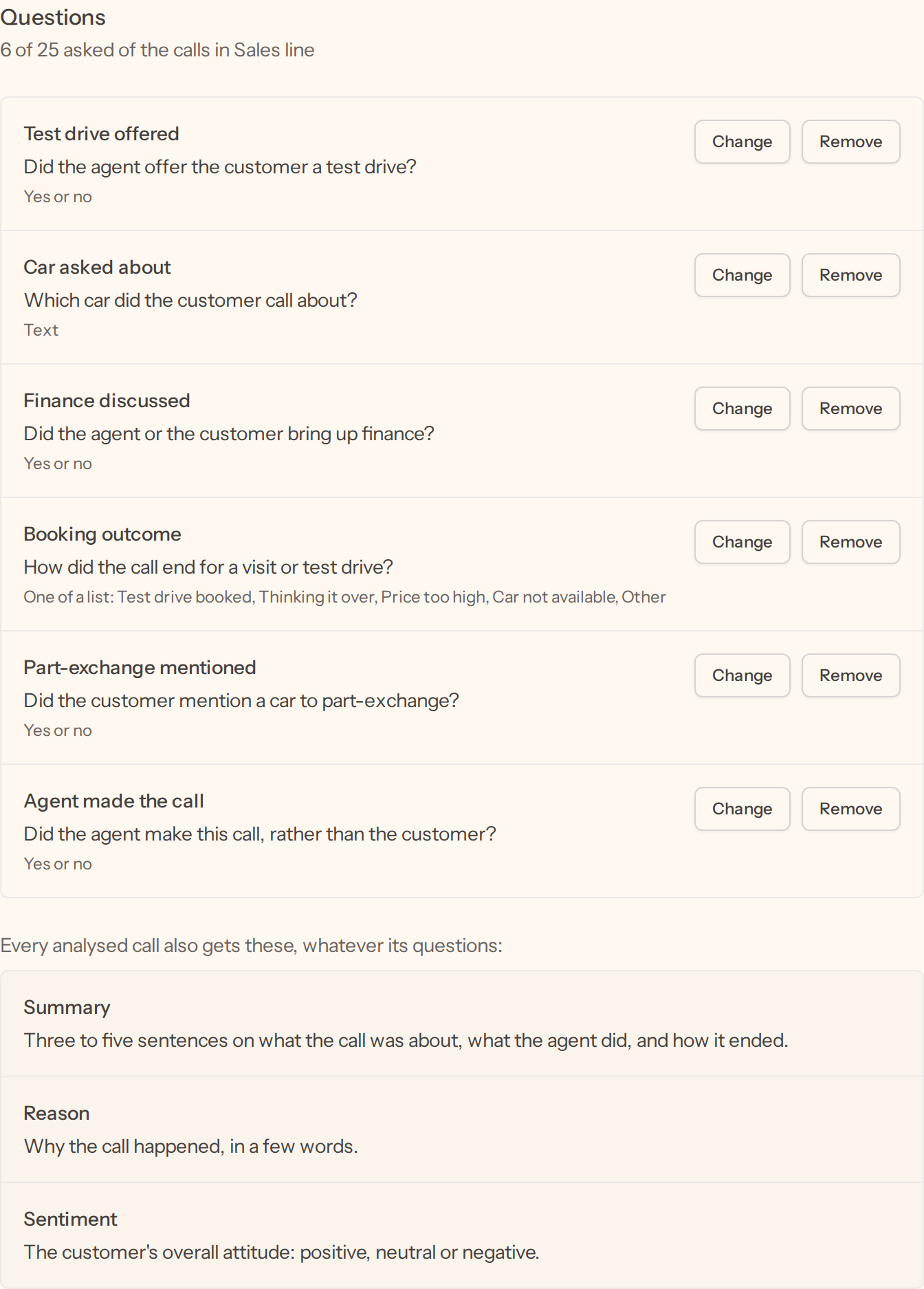
Whatever its questions, every analysed call also gets a summary, the reason it happened in a few words, and the customer's overall sentiment: positive, neutral or negative. They're listed below your questions and need no question of their own. What the AI is told about the calls, such as what the business does, and the language it writes in are set in the collection's Settings → Analysis; see Collections.
Questions about a call's details
Besides the transcript, the AI reads each call's details: when it took place, in your team's time zone, how long it lasted, and its metadata, from its file name, a metadata file or the API, and the timings measured from the transcript, such as wait_seconds. It reads up to 100 metadata fields of a call, in order of their names, and the first 300 characters of each. So a question can be about them too, or about both, such as "Did the caller come from the autumn campaign?" or "Did the call come in outside opening hours?". An answer that comes from a detail shows it, such as "From the call's details: campaign = autumn-offers".
Which details the AI reads is set in the collection's Settings → Analysis, under Call details the AI reads: untick a field no question needs, such as a caller's phone number, to keep it from the AI. See Collections.
Once the collection tells its customers apart, under Earlier calls with the same customer in the same settings, the AI also reads each customer's earlier calls, and a question can ask about them, such as "Is the customer calling again about something they called about before?".
Adding a question
Give each question:
- Name: a short label for lists, charts and exports, such as "Test drive offered".
- Question: what to ask, about one thing, as you would ask someone who listened to the call: "Did the agent offer the customer a test drive?"
- Answer: the kind of answer it takes:
- Yes or no, for whether something happened or was said;
- Number, for a count or an amount;
- One of a list, for one of a fixed set of choices, such as the topic of the call; add "Other" when the list may not cover everything;
- Text, for a short free answer, such as a name or a reason.
A collection can ask up to 25 questions.
Drafting questions with the assistant
The assistant needs to know what your business does first. If neither your team nor the collection has described it, the drafter asks for a description, saved for your team as in Settings → Team. To describe another business for one collection, such as a client's, use its Settings → Analysis.
Describe in your own words what you want to learn from the calls, such as "I want to know if agents offer a test drive, which car the customer called about, and why calls end without a booking". The assistant suggests questions, with the right kind of answer for each. Once the collection says what its calls are and what you want to learn from them, under About this collection in its Settings → Analysis, you can leave the request empty and the assistant drafts from that, or write one to narrow it down.
The assistant also reads up to 20 of the collection's transcribed calls, spread over the time they took place, so its questions fit what is actually said on them, and the choices of a "one of a list" question are the ones that come up. A long call is read by its start and its end. With calls transcribed, you can also leave the request empty and the assistant suggests the questions most worth asking of them.
While fewer than 20 calls are transcribed, the drafter offers to transcribe some first, as many as bring the assistant's reading to 10 or to 20, and says what that costs. They're only transcribed, at 0.8 credit per minute: you choose when to analyse them, once your questions are in place, and they're never transcribed again. You can also draft without them.
The assistant leaves out the questions the collection already asks, and those that would only repeat a call's summary, reason or sentiment. Draft again and it suggests others: the suggestions you haven't used or dismissed stay, with the new ones above them.
Nothing is asked until you choose Use and add the question, so you can change any of them first. Drafting costs no credits; it comes with a plan or the free trial, within a fair-use limit.
Changing and removing questions
Choose Change to rename a question, reword it, or change its answer. A new wording is asked from then on; calls already analysed keep their answers to the old one. Remove stops asking a question; the answers calls gave are kept.
Earlier calls
A question you add, or reword, is asked of calls analysed from then on. The calls analysed before it are not asked it on their own, so adding several questions one after another never analyses your calls again and again.
When earlier calls have missed questions, Earlier calls says how many, and what answering them would cost. Answer them asks every earlier call all the questions it missed, in one go, and charges each call once. You can also answer only the calls of the last 30 days. Progress shows on the page, and you can stop at any time; calls already answered keep their answers.
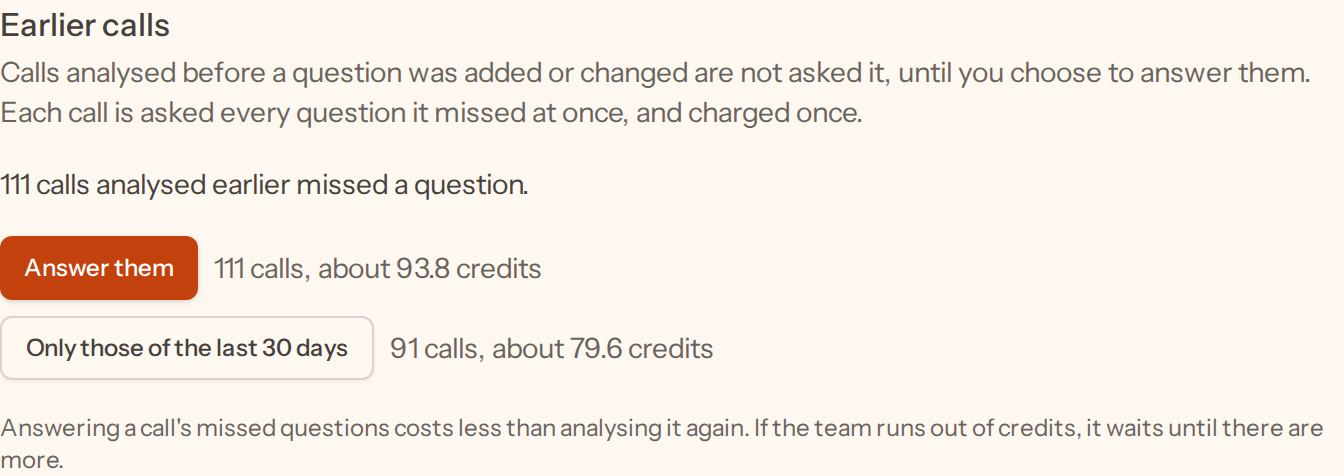
Answering earlier calls costs 0.2 credit per minute of call, the same as analysing them, as each call is read again. A single call's page also offers to answer the questions it missed.