AI Analyst
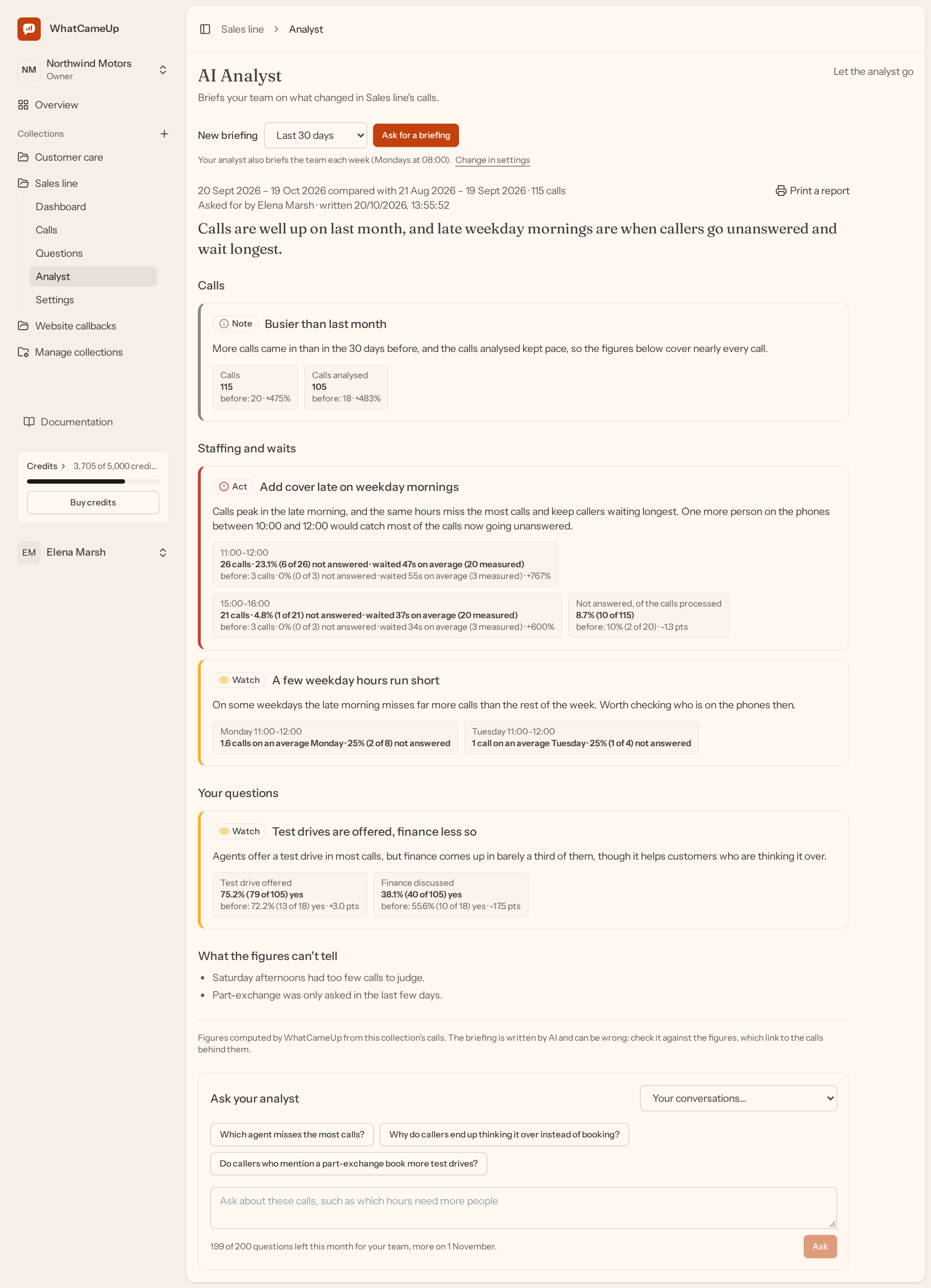
Hire an AI Analyst for a collection, and it briefs your team on what changed in its calls against the period before: how many came in and when, where calls went unanswered or callers waited long, how customers felt, and how your questions were answered, such as how calls ended.
Hiring an analyst
Team owners and admins hire one from Analyst under the collection in the sidebar, or from the card on the collection's dashboard. It writes its first briefing straight away, on the last 30 days. Everyone in the team can read its briefings and ask for new ones. To stop, choose Let the analyst go; its briefings are kept, should you hire one again.
The briefing
Opening the analyst shows its latest briefing, on a period against the one of the same length just before it:
- A headline on the most important change.
- Findings on your calls, staffing and waits, how calls went, and your questions. Each is marked Act (something to do now, such as adding someone on Friday late mornings), Watch or Note, and shows the figures it rests on. Click a figure to open the calls behind it.
- What the figures can't tell, such as hours with too few calls to judge.
- Questions worth asking next.
WhatCameUp works out every figure, change and share itself; the analyst only explains them, and singles out an hour or a weekday only when it had enough calls to tell. The briefing is still written by AI, so check it against its figures.
Asking for a briefing
Your analyst writes a briefing only when it's hired, when someone asks for one, and on the collection's schedule, if you set one. Opening it never writes one, so a briefing shows its dates, what had it written, and how many calls were analysed since.
To ask for one, choose a period under New briefing: the last 7, 30 or 90 days, last week or last month, which end yesterday so a day half over doesn't skew them, or any dates up to today, of at most a year. Asking again for a period whose calls haven't changed shows the briefing already written. If one can't be written, ask for it again. To read an earlier briefing, choose it from the list beside Print a report.
Team owners and admins can also have it brief the team by itself, under AI Analyst in the collection's Settings → Reports: each week on the week just ended, sent with the collection's weekly email, and each month on the 1st, on the month before. Both are off until you turn them on.
Briefings are included in your plan; see Included in your plan below.
Printing the briefing
Choose Print a report for the collection's report on the briefing you're reading, to share with those who don't use WhatCameUp: its key figures, then the briefing, then an annex of the charts and tables its figures come from. With a conversation open, choose Print a report with this conversation to add your questions and the analyst's replies after the briefing; only you can include your conversations. Then download it as a PDF or print it. With a weekly briefing turned on, the collection also emails the team its report each week with the briefing. See Dashboards, reports and exports.
Asking your analyst
Below the briefing, ask your analyst anything about the collection's calls, or click one of the questions it suggests. It looks up what it needs: the figures of any period, calls hour by hour or on one weekday, calls compared by a field of their metadata (such as the agent) or by the answer to one of your questions, and the reasons the AI noted for calls like those. Each reply shows what it looked at; click it to open those calls.
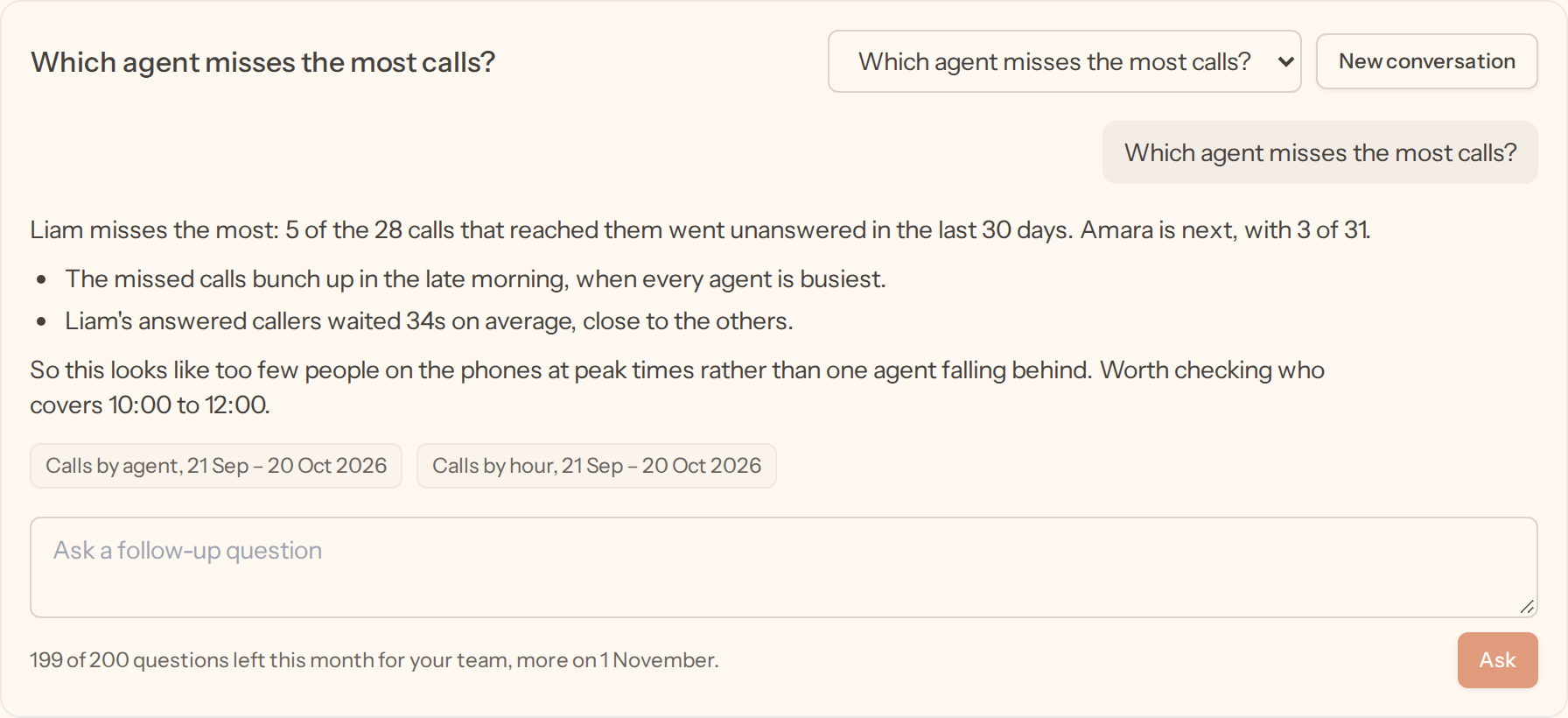
Your conversations are your own: no one else in the team sees them. Pick up an earlier one from Your conversations, or start afresh with New conversation. A conversation is kept for 12 months after its last message, or your team's retention period if that is shorter.
Your team's plan includes questions to your analysts: 20 during the free trial, and 50 a month on Starter, 200 on Growth and 1,000 on Scale. Teams on their own API keys ask as much as they like. A question your analyst couldn't answer isn't counted. A conversation takes up to 20 questions; to ask more, start a new one.
Included in your plan
Briefings, questions to your analyst and drafting questions with the assistant come with a plan or the free trial, and cost no credits. A plan includes them up to a monthly fair-use limit, and the trial for its whole length. A team that reaches it still reads its briefings and conversations; new briefings, questions and drafting come back the next month, or once it chooses a plan after its trial. Briefings on the collection's weekly or monthly schedule are still written. Teams on their own API keys have no limit.
What the analyst sees
The analyst reads your calls' figures, the answers to your questions, and the short reasons and summaries the AI wrote for each call. It never reads their transcripts or audio, nor a metadata field you keep from the AI.